


Welcome to the 1up Clan projects page. On this page you will find some of the projects that the clan is currently working on or has developed on behalf of the gaming community. All of the resources on this page can be used free of charge by anyone, however you should read any & all documentation which accompanies the project to see what (if any) restrictions may apply. If you would like to download any of the resources you find on this page then simply click on the icon that represents the operating system that you are using and a standard download dialog box will appear which will allow you to download the file to your computer.
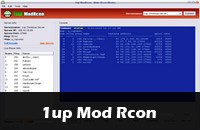 1up ModRcon is an easy to use remote server administration tool for the popular first person shooter Urban Terror. The purpose of
this software is to help server moderators / administrators control the in-game environment and players without needing to be in-game themselves.
1up ModRcon is an easy to use remote server administration tool for the popular first person shooter Urban Terror. The purpose of
this software is to help server moderators / administrators control the in-game environment and players without needing to be in-game themselves.
Available For:  Java Port (Beta):
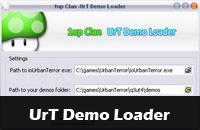 The 1up demo loader is an application that will automatically start Urban Terror and begin playing a demo for you simply by double clicking on it in explorer.
Available For:
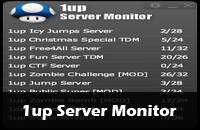 The 1up Server Monitor desktop widget/gadget was created by Flux41[1up] and is designed to monitor 1up servers. In addition to monitoring servers, it can
also start Urban Terror up to play. Just click on a server and a window will open quickly to show who is playing. Please note, the 1up Server Monitor
requires that Adobe Air is installed (Windows/Mac users can get it at get.adobe.com/air).
Linux version only tested on Ubuntu 10.10. Ubuntu users should install Adobe Air via this download link.
The 1up Server Monitor desktop widget/gadget was created by Flux41[1up] and is designed to monitor 1up servers. In addition to monitoring servers, it can
also start Urban Terror up to play. Just click on a server and a window will open quickly to show who is playing. Please note, the 1up Server Monitor
requires that Adobe Air is installed (Windows/Mac users can get it at get.adobe.com/air).
Linux version only tested on Ubuntu 10.10. Ubuntu users should install Adobe Air via this download link.
Available For:


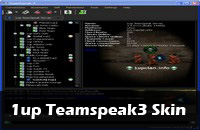 The 1up Urt TeamSpeak3 (TS3) skin includes both icons and custom Urt skins for your TS3. Installing the skins and icons is not complicated.
There is an install instruction file contained in the downloadable .zip folder to get you started.
The 1up Urt TeamSpeak3 (TS3) skin includes both icons and custom Urt skins for your TS3. Installing the skins and icons is not complicated.
There is an install instruction file contained in the downloadable .zip folder to get you started.
Available For:
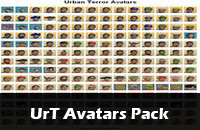 The 1up UrT Avatars pack contains more than 360 avatars for your website(s) / forum(s). Each avatar in the package is 100x100 pixels and formatted
using the PNG format for optimal size & quality.
The 1up UrT Avatars pack contains more than 360 avatars for your website(s) / forum(s). Each avatar in the package is 100x100 pixels and formatted
using the PNG format for optimal size & quality.
Available For: